🎉 14+ Years Anniversary Special! | 50% OFF on All Training Courses | Limited Time Only!
sivasoft@sivasoft.in An ISO 9001:2015 Certified Company
+91 99636 89248 Ameerpet, Hyderabad
Special Career Track

🎓 Forward Deployment Engineer (FDE) with Python, DSA, SQL, Power BI, Machine Learning, Generative AI, RAG & Agentic AI Training Course with Internship – 100% Job Placement-Oriented

Become a job-ready Forward Deployment Engineer (FDE) with industry-oriented training in Python, DSA, SQL, Power BI, Machine Learning, Generative AI, LLMs, RAG, and Agentic AI. Gain hands-on experience through real-world projects, internship opportunities, and practical AI application development. Includes 100% job placement assistance to help you prepare for a successful career in AI engineering.

Duration 6 Months
Training Mode Classroom & Live Online
Trainer Mr. Siva • Mr. Mani • Mr. Sharif — 15+ Yrs Experience — 15+ Yrs Experience
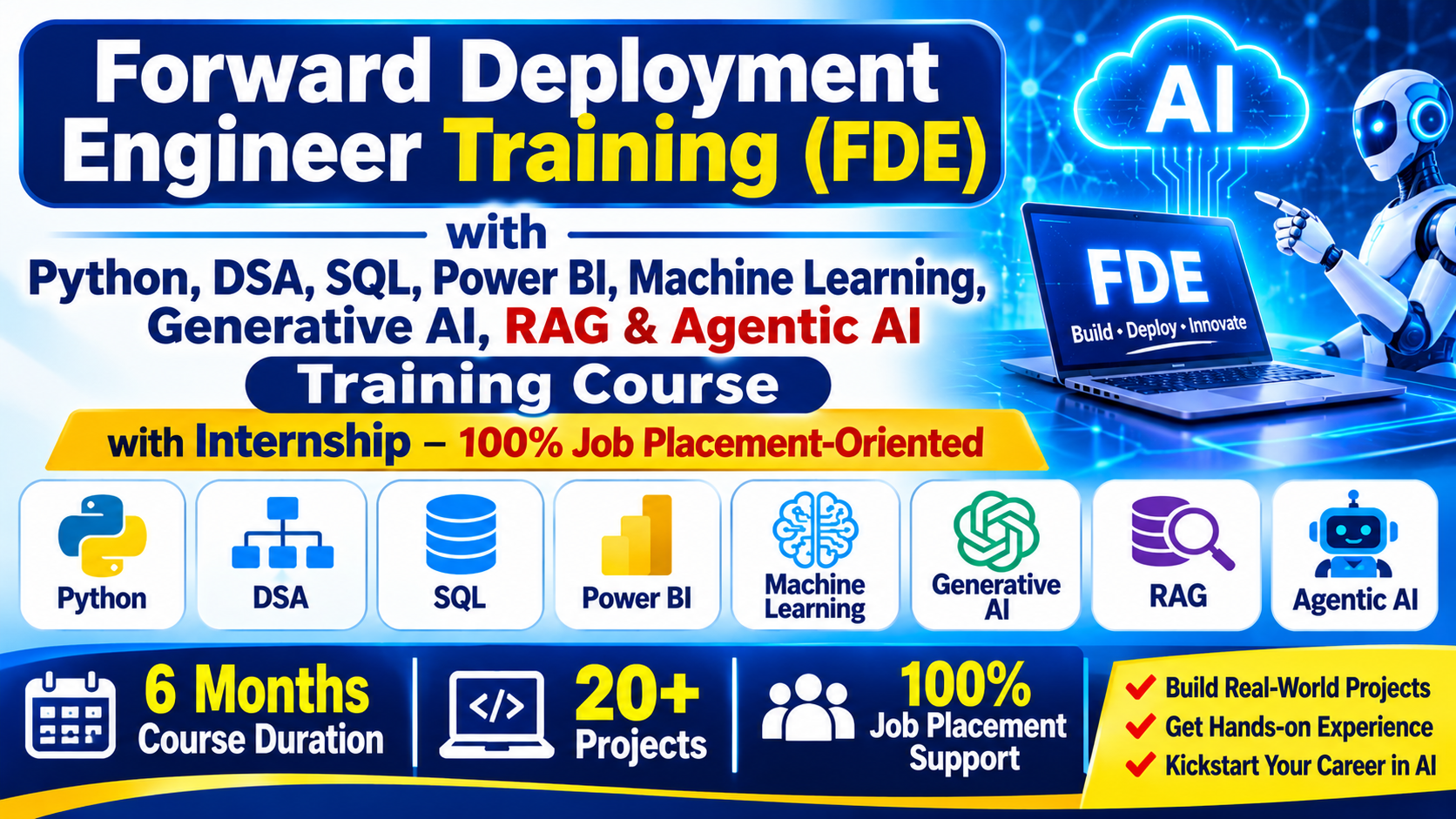
Online Forward Deployment Engineer (FDE) with Generative AI, Machine Learning & Agentic AI Training Course
Fee Structure & Limited Offers: 6 Months
Note for Students: The Complete Course Syllabus & Certificate are identical across all options. Only the batch mode and pricing differ.
Group Online Fee You Save ₹20,000
₹20,000 ₹40,000
Classroom Fee You Save ₹35,000
₹35,000 ₹70,000
One-to-One Online You Save ₹75,000
₹75,000 ₹1,50,000

Share Course:

Accredited & Recognized Excellence

MCA Government of India Logo
ISO 9001:2015 Certification Logo
MCA Government of India Logo
ISO 9001:2015 Certification Logo

Program Key Benefits

Master Skills: Industry-relevant skills with hands-on training from top corporate professionals.
Eligibility: Open to Any Graduates and individuals with Career Gaps.
Expert Trainers: Led by Mr. Siva • Mr. Mani • Mr. Sharif (15+ Yrs experience), successfully completing 50+ batches.
Program Duration: Comprehensive 6 Months training schedule.
Lifetime Access: Class Recorded Videos provided for lifetime review.
Doubt Clarification: Support via Live Classes, WhatsApp, and LMS.
Assessments: Regular Interview Questions and Code Assessments included.
Career Support: Resume Preparation, LinkedIn Profile Creation, and Portfolio Website Development.
Certificates: Free Training Completion Certificate (Soft Copy) provided.
Industry Terms & Tips: Coverage of Agile, Scrum, DevOps, Monitoring, and corporate career success strategies.
One-on-One Demo: Get Personalized Training & Clarifications before getting started.

Tools & Technologies Covered

Forward Deployment Engineering Fundamentals Python Programming Object-Oriented Programming and Data Structures Git, GitHub and Software Development Workflows Linux and Command-Line Fundamentals SQL, PostgreSQL and Redis Backend Development with FastAPI REST APIs, Authentication and Authorization Frontend Development with React and Next.js Enterprise System Integration Cloud Computing with AWS and Azure Docker and Containerization CI/CD with GitHub Actions Infrastructure as Code with Terraform Kubernetes Fundamentals Generative AI and Large Language Models Prompt Engineering and Structured Outputs LLM API Integration and Function Calling Embeddings and Vector Databases Retrieval-Augmented Generation (RAG) AI Agents and Agentic AI LangChain, LangGraph and MCP Multi-Agent Systems and Workflow Orchestration AI Evaluation, Guardrails and Responsible AI Model Serving and Inference Optimization AI Security, Monitoring and Observability Customer Discovery and Business Workflow Mapping Solution Architecture, Scoping and Technical Proposals Production Deployment, Customer Adoption and Handover Real-World FDE Capstone Project

Complete Course Syllabus

  • Introduction to Forward Deployment Engineering
  • FDE Roles and Responsibilities
  • Customer-Facing Engineering
  • Technical Problem Solving
  • Business Requirements and Solution Implementation
  • Real-World Use Cases
  • FDE Career Opportunities

  • Introduction to Programming and Python
  • History, Features, Advantages, and Applications of Python
  • Python vs. Other Programming Languages
  • Installing Python and Setting Up the Environment
  • Python Interpreter and Execution Process
  • Python Interactive Mode and Script Mode
  • IDEs: IDLE, VS Code, and PyCharm
  • Writing and Executing the First Python Program

  • Variables, Keywords, and Identifiers
  • Naming Conventions and Comments
  • Literals and Types of Literals
  • Numeric, String, Boolean, and None Literals
  • Collection Literals: List, Tuple, Set, and Dictionary
  • Python Built-in Data Types
  • Type Checking Using type() and Object Identity Using id()
  • Type Conversion and Type Casting
  • Built-in Conversion Functions: int(), float(), str(), bool()
  • Collection Conversions: list(), tuple(), set(), and dict()
  • User Input Using input()
  • Output Using print() and Parameters sep and end
  • String Formatting: f-strings, format(), and % Formatting
  • Multiple Assignment and Variable Unpacking
  • Comments, Indentation, and Basic Python Syntax

  • Arithmetic Operators
  • Comparison and Logical Operators
  • Assignment and Compound Assignment Operators
  • Bitwise Operators
  • Membership Operators: in and not in
  • Identity Operators: is and is not
  • Difference Between == and is
  • Operator Precedence and Associativity
  • Practical Programs Using Python Operators

  • Introduction to Decision-Making
  • if Statement
  • if-else Statement
  • if-elif-else Statement
  • Nested if Statements
  • Conditional Expressions (Ternary Operator)
  • match-case Statement (Python 3.10+)
  • Truth Values and Conditions
  • Real-Time Decision-Making Programs

  • Introduction to Iteration and Loops
  • while Loop and for Loop
  • range() Function and Its Variations
  • Nested Loops
  • break, continue, and pass Statements
  • else with for and while Loops
  • Loop Control and Infinite Loops
  • Pattern Programming
  • Number and Sequence-Based Programs
  • Real-Time Loop Examples

  • String Creation and String Literals
  • Indexing, Negative Indexing, and Slicing
  • String Immutability and String Operators
  • String Concatenation and Repetition
  • String Searching Methods: find(), rfind(), index(), rindex()
  • Case Conversion Methods: upper(), lower(), title(), capitalize(), swapcase()
  • String Validation Methods: isalpha(), isdigit(), isalnum(), isspace(), islower(), isupper()
  • String Cleaning Methods: strip(), lstrip(), rstrip()
  • String Replacement and Translation Methods
  • String Splitting and Joining: split(), rsplit(), splitlines(), join()
  • String Partitioning: partition() and rpartition()
  • String Prefix and Suffix Checking: startswith() and endswith()
  • String Formatting: format(), format_map(), and f-strings
  • String Alignment: center(), ljust(), and rjust()
  • Raw Strings and Escape Sequences
  • String Validation, Manipulation, and Processing Programs

  • Introduction to Python Collections
  • Lists: Creation, Indexing, Slicing, and Methods
  • List Operations: append(), extend(), insert(), remove(), pop(), clear()
  • List Searching and Sorting: index(), count(), sort(), reverse()
  • List Copying and Nested Lists
  • List Comprehensions and Conditional Comprehensions
  • Tuples: Creation, Indexing, Slicing, Packing, and Unpacking
  • Tuple Methods: count() and index()
  • Sets: Creation, Uniqueness, and Set Operations
  • Set Methods and Mathematical Set Operations
  • Frozensets: Concepts and Operations
  • Dictionaries: Keys, Values, Items, and Methods
  • Dictionary Methods: get(), update(), pop(), setdefault(), and items()
  • Dictionary Iteration and Dictionary Comprehensions
  • Nested Collections and Collection Unpacking
  • Mutable vs. Immutable Objects
  • Collection Conversion and Common Collection Operations

  • Introduction to Functions and Modular Programming
  • Defining and Calling Functions Using def
  • Parameters, Arguments, and Function Calls
  • Positional, Keyword, and Default Arguments
  • Variable-Length Arguments: *args and **kwargs
  • Return Statements and Returning Multiple Values
  • Local and Global Variables
  • Variable Scope and the LEGB Rule
  • Lambda Functions
  • Recursive Functions and Recursion Examples
  • map(), filter(), and reduce() Functions
  • Docstrings and Function Annotations
  • Function Documentation Using __doc__ and help()
  • Practical and Real-Time Function Examples

  • Introduction to Modules and Packages
  • Built-in and User-Defined Modules
  • Importing Modules Using import and from...import
  • Module Aliases Using as
  • math Module: Mathematical Functions and Constants
  • random Module: Random Numbers, choice(), choices(), sample(), and shuffle()
  • time Module: Time Values, sleep(), and Basic Time Operations
  • datetime Module: date, time, datetime, and timedelta
  • Date and Time Formatting, Parsing, Comparison, and Calculations
  • Creating Custom Modules and Package Structures
  • __name__ == "__main__" and Script Execution
  • Installing and Managing Packages Using pip
  • Reusing Code Through Modules and Packages

  • Introduction to Errors and Exceptions
  • Syntax Errors vs. Runtime Exceptions
  • Common Python Exceptions: ValueError, TypeError, NameError, IndexError, KeyError, ZeroDivisionError
  • try and except Blocks
  • Handling Specific and Multiple Exceptions
  • else and finally Blocks
  • Raising Exceptions Using raise
  • Custom Exception Classes: Introduction
  • Exception Handling in Real-Time Programs

  • Introduction to File Handling
  • Opening Files Using open()
  • File Modes: r, w, a, x, b, and +
  • Reading Files Using read(), readline(), and readlines()
  • Writing and Appending Data to Text Files
  • File Object Methods: write(), writelines(), seek(), and tell()
  • Using the with Statement for Safe File Handling
  • CSV File Handling Using the csv Module
  • JSON File Handling Using the json Module
  • File and Directory Operations
  • Handling File-Related Exceptions

  • Common Built-in Functions: len(), type(), id(), and help()
  • Numeric Functions: abs(), round(), pow(), sum(), min(), and max()
  • Sorting and Reversing: sorted() and reversed()
  • Boolean Testing Functions: any() and all()
  • Iteration Helpers: enumerate() and zip()
  • Object and Sequence Functions: isinstance(), range(), and slice()
  • Practical Examples Using Built-in Functions

  • Nested Functions and Enclosing Scope
  • First-Class Functions and Functions as Objects
  • Passing Functions as Arguments
  • Higher-Order Functions
  • Returning Functions from Other Functions
  • Closures and Variable Scope
  • Decorators and @ Decorator Syntax
  • Practical Applications of Function Composition and Reuse

  • Introduction to Regular Expressions and the re Module
  • Regex Patterns and Raw Strings
  • Pattern Matching Using match(), search(), and fullmatch()
  • Finding Matches Using findall() and finditer()
  • Text Replacement Using sub() and subn()
  • Splitting Text Using split()
  • Special Sequences: \d, \D, \s, \S, \w, and \W
  • Word Boundaries and Anchors: \b, \B, \A, and \Z
  • Character Sets, Ranges, and Negation
  • Quantifiers, Groups, and Alternation
  • Positive and Negative Lookaheads
  • Password Validation Using Regular Expressions
  • Email, Phone Number, and Text Validation Examples

  • Classes, Objects, and Constructors (__init__)
  • Instance, Class, and Static Methods
  • Encapsulation, Inheritance, and Polymorphism
  • Method Overriding, Abstraction, and Abstract Classes
  • Magic or Dunder Methods

  • First-Class Functions and Nested Functions
  • Closures and Function Decorators
  • Decorators with Arguments & Multiple Decorators
  • Practical Logging and Timing Examples

  • Iterables vs. Iterators (iter() and next())
  • Creating Custom Iterators
  • Generator Functions and the yield Keyword
  • Generator Expressions & Lazy Evaluation

  • Patterns, Metacharacters, and Character Classes
  • match(), search(), findall(), and sub() functions
  • Groups, Lookaheads, Lookbehinds, and Word Boundaries
  • Email, Phone Number, and Password Validation

  • Comprehensions (List, Set, Dictionary)
  • Shallow Copy vs. Deep Copy
  • Context Managers, enumerate(), and zip()
  • Working with collections, itertools, and Type Hints

  • Introduction to Data Structures and Algorithms
  • Linear vs. Non-Linear Data Structures
  • Time and Space Complexity Analysis & Big O Notation

  • Linear Search & Binary Search
  • Searching in Sorted Collections & Time Complexity Comparison

  • Bubble Sort, Selection Sort, and Insertion Sort
  • Merge Sort and Quick Sort
  • Built-in Sorting and Time Complexity Comparisons

  • Arrays and Python Lists
  • Stacks, Queues, and Circular Queues
  • Singly and Doubly Linked Lists

  • Trees, Binary Trees, and Binary Search Trees (BST)
  • Tree Traversal Techniques & Heaps/Priority Queues
  • Graphs, BFS, and DFS Traversal

  • Recursion, Backtracking, Two-Pointer, and Sliding Window
  • Hashing, Greedy Algorithms, and Dynamic Programming
  • Coding Challenges and Interview Problems

  • Git Installation and Repository Management
  • Commit, Branching and Merging
  • GitHub Pull Requests
  • Conflict Resolution
  • Code Reviews
  • Collaborative Development

  • Linux Architecture and File System Navigation
  • File and Directory Commands
  • Permissions and Ownership
  • Process Management
  • Shell Scripting
  • Environment Variables
  • SSH and Remote Access

Database Fundamentals
  • Introduction to databases and DBMS
  • Database vs. DBMS vs. RDBMS
  • Introduction to SQL and SQL Server
  • SQL command categories: DDL, DML, DQL, DCL and TCL
SQL Server Setup
  • Installing SQL Server and SQL Server Management Studio (SSMS)
  • Creating and selecting databases
  • Understanding tables, rows and columns
  • Executing SQL queries

Data Types and Table Creation
  • Numeric, string, date and time data types
  • CREATE DATABASE and CREATE TABLE
  • Primary key and foreign key
  • AUTO_INCREMENT
Constraints and Table Operations
  • NOT NULL, UNIQUE and DEFAULT
  • CHECK constraints
  • ALTER TABLE and RENAME TABLE
  • DELETE vs. TRUNCATE vs. DROP

CRUD Operations
  • INSERT, SELECT, UPDATE and DELETE
  • SELECT DISTINCT and column aliases
  • WHERE clause
  • Comparison operators
Filtering and Sorting
  • AND, OR and NOT
  • BETWEEN, IN and LIKE
  • IS NULL and IS NOT NULL
  • ORDER BY, LIMIT and SQL comments

Common Functions
  • COUNT, SUM, AVG, MIN and MAX
  • CONCAT, UPPER and LOWER
  • LENGTH and SUBSTRING
  • ROUND, CEIL and FLOOR
Date and Conditional Functions
  • NOW and CURDATE
  • DATE_FORMAT and DATEDIFF
  • IFNULL and COALESCE
  • CASE expressions

  • GROUP BY and HAVING clauses
  • Understanding WHERE vs. HAVING
  • Aggregate functions with grouped data
  • Grouping records by department, category and month
  • Calculating totals, averages and counts
  • Business reporting and summary queries

Types of Joins
  • Understanding table relationships
  • INNER JOIN
  • LEFT JOIN and RIGHT JOIN
  • CROSS JOIN and SELF JOIN
Practical Queries
  • Joining multiple tables
  • Primary key and foreign key relationships
  • Employee and department queries
  • Customers, products and orders queries

  • Single-row and multiple-row subqueries
  • Correlated subqueries
  • IN, EXISTS and NOT EXISTS
  • UNION and UNION ALL
  • Common Table Expressions (CTEs)
  • Introduction to window functions
  • ROW_NUMBER, RANK and DENSE_RANK

  • Database design fundamentals
  • One-to-one, one-to-many and many-to-many relationships
  • Entity Relationship (ER) diagrams
  • Database normalization: 1NF, 2NF and 3NF
  • Designing tables for web applications
  • Maintaining data integrity

Python Database Connectivity
  • Installing a Python SQL Server connector
  • Establishing and closing database connections
  • Executing SQL queries from Python
  • Fetching one or multiple records
Database CRUD Operations
  • INSERT, SELECT, UPDATE and DELETE using Python
  • Parameterized queries
  • Handling database exceptions
  • Commit, rollback and transaction basics

  • Configuring SQL Server in Django settings
  • Connecting Flask applications to SQL Server
  • Introduction to Django ORM
  • Models, fields and database migrations
  • Creating, retrieving, updating and deleting ORM records
  • Saving HTML form data to SQL Server
  • Displaying database records on web pages
  • User registration and login data storage
  • Building database-backed web application features

  • Indexes and basic query optimization
  • Understanding EXPLAIN
  • Transactions, COMMIT and ROLLBACK
  • ACID properties
  • Database users and permissions
  • Preventing SQL injection with parameterized queries
  • Database backup and restore fundamentals

Database Projects
  • Student registration and management system
  • Employee and department management
  • Product and inventory management
  • E-commerce customers and orders database
Full Stack Integration
  • Python and SQL Server CRUD application
  • Django or Flask application with SQL Server
  • Forms, validation and database operations
  • Database-driven reporting features

  • FastAPI Fundamentals
  • Routing and Endpoints
  • Request and Response Models
  • Pydantic Validation
  • Dependency Injection
  • Async Programming
  • Database Integration
  • API Documentation and Backend Testing

  • HTTP and HTTPS
  • REST API Design
  • HTTP Methods and Status Codes
  • JSON and API Testing
  • JWT Authentication
  • OAuth 2.0
  • Role-Based Access Control
  • API Security

Basic User Interface (UI)

  • Network
  • Internet
  • Web Browsers
  • Web Servers
  • Web
  • Webpage
  • Website
  • Http
  • Https
  • Web Development

  • Introduction
    • W3C
    • Editors
    • Tag
      • Empty Tag
      • Container Tag
    • Attributes & Parameters
    • Doctypes: DTD
    • Structure Of HTML
    • Basic Tags
      • html
      • head
      • title
      • body
    • Tag vs Element
    • Headings
    • Formatting Tags
    • Paragraph tag
    • Pre tag
    • abbr tag
    • List
      • Ordered List
      • Unordered List
      • Nested List
      • Description List
    • Iframe
    • hr
    • table
    • JPG / PNG / GIF
    • Image tag
      • File Paths
    • Links
      • Image Link
      • Text Link
      • Email Link
    • Quotation
    • Citation
    • Comments
    • Colors
    • Computer Code
    • Entities
    • Symbols
    • Emojis
    • Charset
    • URL Encode
    • Meta Tags
    • Form tags
    • Style Guide
    • Deprecated tags
      • center
      • font
      • basefont
      • s
      • strike
      • u
      • applet
      • isindex
      • acronym
      • frame
      • frameset
      • noframes
      • embed
      • marquee
      • big
      • dir
      • spacer
      • tt
    • Deprecated Attributes
      • align - caption, iframe, img, input, legend, table, hr, div, h1, h2, h3, h4, h5, h6, p, td, th, and tr.
      • hspace - img
      • vspace - img
      • width - hr, table, td, th, pre, img.
      • height - table, td, th, pre, img.
      • background - body
      • bgcolor - table, tr, td, th and body.
      • rules - table
      • border - table, img
      • cellpadding - table
      • cellspacing - table
      • size - hr
      • type - li, ol and ul
      • noshade - hr
      • char
      • charoff
      • color, face - font
      • marginwidth, marginheight - iframe, body
      • nowrap - td,th
      • size - font,hr
      • start - ol
      • valign - td, th, tr

  • XHTML
  • Differences between HTML and XHTML

  • Introduction
  • Syntax
  • Types of StyleSheets
    • Internal StyleSheets
    • External StyleSheets
    • Inline StyleSheets
    • Compound StyleSheet
  • !important
  • Types of Selectors
    • Simple
      • Universal
      • Element
      • Class
      • Element.class
      • Id
      • Element.id
      • Grouping
    • Combinators
      • Descendant
      • Child
      • Adjacent
      • General
    • Pseudo-class(Links)
    • Pseudo-elements
    • Attribute
  • Block & Inline
  • inline-block
  • Div's & Span tags
  • display
  • Visibility
  • Units
  • Box Model
    • Border
      • border
      • border-color
      • border-style
      • border-width
      • border-bottom
        • border-bottom-color
        • border-bottom-style
        • border-bottom-width
      • border-left
        • border-left-color
        • border-left-style
        • border-left-width
      • border-right
        • border-right-color
        • border-right-style
        • border-right-width
      • border-top
        • border-top-color
        • border-top-style
        • border-top-width
    • outline
      • outline-style
      • outline-width
      • outline-color
    • margin
      • margin-bottom
      • margin-left
      • margin-right
      • margin-top
    • padding
      • padding-bottom
      • padding-left
      • padding-right
      • padding-top
  • Font
    • font-family
    • color
    • font-size
    • Set Font Size With Pixels
    • Set Font Size With em
    • font-style
    • font-variant
    • font-weight
    • font
  • Text
    • Color
    • letter-spacing
    • Word-spacing
    • line-height
    • text-align
    • text-align-last
    • text-decoration
      • text-decoration-line
      • text-decoration-color
      • text-decoration-style
      • text-decoration-thickness
    • text-indent
    • text-transform
    • vertical-align
    • White-space
    • Direction
    • unicode-bidi
  • Background
    • background-color
    • background-image
    • background-repeat
    • background-attachment
    • background-position
    • background
  • Image Sprites
  • Comments
  • Icons
  • Images
  • opacity
  • FORMS
  • Links
    • a:link
    • a:visited
    • a:hover
    • a:active
  • cursor
  • Lists
    • list-style
    • list-style-type
    • list-style-position
    • list-style-image
  • Tables
    • border
    • border-collapse
    • width
    • height
    • text-align
    • vertical-align
    • padding
  • Dimension
    • height
    • width
    • max-height
    • min-height
    • max-width
    • min-width
  • Positioning
    • bottom
    • clip
    • left
    • overflow
    • absolute
    • fixed
    • relative
    • static
    • right
    • top
    • z-index
    • sticky
  • float & clear
  • Counters
  • Specificity
  • Math functions
  • Navigation (Menu) Bar
  • Dropdown Navigation Bar
  • Module-wise Project 1: HTML & CSS

  • Introduction to CSS3
  • What's New in CSS3 and CSS4
  • border-image
  • box-shadow
  • text-shadow
  • border-radius
  • Image Reflection
  • background
    • background-clip
    • background-origin
    • background-size
    • Multiple Background Images
  • Color Keywords
  • Gradients
    • Linear Gradients
    • Radial Gradients
    • Conic Gradients
  • text effects
    • word-wrap
    • text-overflow
    • word-break
    • writing-mode
  • Web fonts
  • Google fonts
  • 2D Transforms
  • 3D Transforms
  • RGBA
  • Box Sizing
  • Transitions
  • Animations
  • Style Images
  • object-fit
  • object-position
  • Masking
  • Multiple Columns
  • User Interface
  • Variables
  • Box-sizing
  • Flex
  • Media Queries
  • Orientation
  • favicon
  • Grid
  • Module-wise Project 2: HTML5 & CSS3 Responsive Project with Floats
  • Module-wise Project 3: HTML5 & CSS3,4 Responsive Project with Flexbox
  • Content will be updated as per latest updates

  • Introduction to JavaScript
  • Syntax
  • Statements
  • Types of Scripts
    • Internal
    • External
    • Inline
  • Write / Writeln
  • innerHTML
  • innerText
  • textContent
  • console
  • Print
  • Popup Boxes
    • alert
    • confirm
    • prompt
  • Naming Conventions
    • Lower Camel Case
    • Upper Camel Case
    • Snake Case
    • Kebab Case
    • Screaming Snake Case
    • Train Case
    • Flat Case
    • Upper Flat Case
    • Title Case
    • Sentence Case
    • Toggle Case
  • Comments
  • Variables
  • Hoisting
  • Operators
    • Arithmetic
    • Assignment
    • String
    • Type
    • Comparison
    • Logical
  • Conditional Statements
    • if
    • if...else
    • if...else if...else
    • Switch
  • Loops
    • while
    • do...while
    • for
    • for...in
    • for...of (ES6)
    • Break
    • Continue
  • Functions
    • User-defined
    • Syntax
    • Parameters and Arguments
    • Returning Values
    • Self-Invoked
  • Functions
    • Declaration
    • Expression
    • Self-Invoked
    • this
      • call
      • apply
      • bind
    • Closures
    • Local and Global Variables
    • Recursive Functions
    • Built-in Functions
      • Global
      • Number
      • String
      • Array
      • Math
      • Date
      • JSON
      • Utility
  • Events
    • Introduction
    • Mouse Events
    • Keyboard Events
    • Form Events
    • Document Events
    • Window Events
    • Event Bubbling
  • Page Redirection
  • Timing Events
    • setTimeout
    • setInterval
  • Built-in Objects
    • Introduction
    • Arrays
    • Array Properties and Methods
    • Number
    • Strings
    • Math
    • Date
    • Boolean
    • Regexp
    • Exception Handling (Errors)
      • try
      • catch
      • throw
      • finally
      • Fetch
      • Error Object Properties
      • JSON (JavaScript Object Notation)
    • Object
      • Creating a JavaScript Object
      • JavaScript Keyword new
      • Properties
      • Adding Methods to an Object
      • Nesting
      • Display
      • Using an Object Constructor
      • Prototypes
      • Getter / Setter
      • Protection
  • Debugging
    • console
    • developer tools
    • debugger
    • try…catch
    • breakpoints
    • Network
  • DOM (Document Object Model)
    • Introduction
    • Methods
    • Document
    • Elements
    • HTML
    • Forms
    • CSS
    • Animations
    • Events
    • EventListener
    • Navigation
    • Nodes
    • Collections
    • Node Lists
  • Browser BOM
    • Window
    • Screen
    • Location
    • History
    • Navigator
    • Popup
    • Timing
    • Cookies
  • Execution Context and Call Stack
  • Form Validations
    • Basics of Form Validation
    • Validating Radio Buttons
    • Validating Checkboxes
    • Validating Select Menus
    • Validating Text & Textareas
    • Validating Through Regular Expressions: Alphabetical, Alphanumeric, Email, Date, Image, Password, Phone, Zip Code, and so on
  • Module-wise Project 5: JavaScript Project

  • Callbacks
  • Asynchronous
  • Promises
  • Async / Await

  • Introduction
  • XMLHttpRequest
  • Request
  • Response
  • JSON
  • REST API
  • HTTP Methods

  • Introduction
  • Syntax
  • JSON vs XML
  • Datatypes
  • parse
  • stringify
  • Object
  • Arrays
  • Server
  • Html
  • JSON vs JSONP

  • What is HTML5
  • Overview of HTML5
  • Browser Support
  • W3C and Web Hypertext Application Technology Working Group (WHATWG) Specifications
  • Overview of Updated New Features
  • HTML5 Syntax
    • The DOCTYPE
    • Character Encoding
    • The \<script> tag
    • The \<link> tag
    • HTML5 Document
  • Forms
    • email
    • url
    • tel
    • number
    • range
    • date
    • time
    • datetime
    • datetime-local
    • month
    • week
    • color
  • Form Elements
    • datalist
    • output
    • progress
    • meter
    • fieldset
  • New Attributes for \<form>
    • autocomplete
    • novalidate
    • target
    • formaction
    • formenctype
    • formmethod
    • formnovalidate
    • formtarget
    • accept-charset
  • New Attributes for \<input>
    • autocomplete
    • autofocus
    • form
    • list
    • min and max
    • multiple
    • pattern (regexp)
    • placeholder
    • readonly
    • required
    • step
    • size
    • maxLength
    • inputmode
    • formaction
    • formenctype
    • formmethod
    • formnovalidate
    • formtarget
  • Multimedia Elements
    • Media
    • audio
    • video
    • youtube
  • Types of Elements
    • Semantic Elements
    • Structural Elements
  • HTML5 New Elements
    • article
    • section
    • header
    • footer
    • nav
    • aside
    • main
    • figcaption
    • figure
    • time
    • mark
    • details
    • summary
    • progress
    • output
    • address
    • dialog
    • template
    • slot
    • wbr
    • hgroup
  • Migration from HTML4 to HTML5
    • HTML5 Browser Support
    • HTML5 Elements as Block Elements
    • Adding New Elements to HTML
    • Problem with Internet Explorer
    • Complete Shiv Solution
    • HTML5 Skeleton
  • HTML5 Deprecated Tags
    • center
    • font
    • basefont
    • s
    • strike
    • u
    • applet
    • isindex
    • acronym
    • frame
    • frameset
    • noframes
    • embed
    • marquee
    • big
    • dir
    • spacer
    • tt
  • HTML5 Deprecated Attributes
    • align - caption, iframe, img, input, legend, table, hr, div, h1, h2, h3, h4, h5, h6, p, td, th, and tr.
    • hspace - img
    • vspace - img
    • width - hr, table, td, th, pre, img.
    • height - table, td, th, pre, img.
    • background - body
    • bgcolor - table, tr, td, th and body.
    • rules - table
    • border - table, img
    • cellpadding - table
    • cellspacing - table
    • size - hr
    • type - li, ol and ul
    • noshade - hr
    • char
    • charoff
    • color, face - font
    • marginwidth, marginheight - iframe, body
    • nowrap - td, th
    • size - font, hr
    • start - ol
    • valign - td, th, tr
  • Web Storage
    • Local Storage
    • Session Storage
  • Web SQL
  • Web Workers
  • MathML
  • Drag and Drop API
  • Canvas Overview
    • Lines
    • Curves
    • font
    • Image
    • Paths
    • Shapes
    • Color, Gradients
  • SVG
    • What is SVG?
    • SVG Advantages
    • Differences Between SVG and Canvas
    • Rectangle
    • Circle
    • Ellipse
    • Line
    • Polygon

  • What is Bootstrap?
  • Bootstrap History
  • Why Use Bootstrap?
  • What Does Bootstrap Include?
  • HTML File
  • Adding Bootstrap to Your Web Pages
  • Downloading Bootstrap
  • Bootstrap CDN
  • Put Your HTML Elements Inside Containers
  • Bootstrap Browser/Device Support
  • Layout
    • Breakpoints
    • Containers
    • Grid
    • Columns
    • Gutters
    • Utilities
    • Z-index
    • CSS Grid
  • Content
    • Reboot
    • Typography
    • Images
    • Tables
    • Figures
  • Forms
    • Overview
    • Form control
    • Select
    • Checks & radios
    • Range
    • Input group
    • Floating labels
    • Layout
    • Validation
  • Components
    • Accordion
    • Alerts
    • Badge
    • Breadcrumb
    • Buttons
    • Button group
    • Card
    • Carousel
    • Close button
    • Collapse
    • Dropdowns
    • List group
    • Modal
    • Navbar
    • Navs & tabs
    • Offcanvas
    • Pagination
    • Placeholders
    • Popovers
    • Progress
    • Scrollspy
    • Spinners
    • Toasts
    • Tooltips
  • Helpers
    • Clearfix
    • Color & background
    • Colored links
    • Focus ring
    • Icon link
    • Position
    • Ratio
    • Stacks
    • Stretched link
    • Text truncation
    • Vertical rule
    • Visually hidden
  • Utilities
    • API
    • Background
    • Borders
    • Colors
    • Display
    • Flex
    • Float
    • Interactions
    • Link
    • Object fit
    • Opacity
    • Overflow
    • Position
    • Shadows
    • Sizing
    • Spacing
    • Text
    • Vertical align
    • Visibility
    • Z-index
  • Extend
    • Approach
    • Icons
  • Module-wise Project 5: Bootstrap Responsive Project

Social Media Integration

  • Introduction to Social Media Integration
  • Adding Social Media Profile Links
  • Social Sharing Buttons
  • WhatsApp Chat and Share Integration
  • Facebook Page and Social Links Integration
  • Instagram, LinkedIn and YouTube Links
  • Sharing Website Content Across Social Platforms

Practical Implementation

  • Social Media Icons Using Bootstrap Icons
  • WhatsApp Click-to-Chat Links
  • Facebook Open Graph Meta Tags
  • Social Media Sharing URL Parameters
  • Responsive Social Media Buttons
  • Testing Social Links on Desktop and Mobile

SEO Fundamentals & On-Page SEO

  • Introduction to SEO and Search Engines
  • How Search Engine Crawling and Indexing Work
  • Keyword Research Fundamentals
  • SEO-Friendly URL Structure
  • Title Tags and Meta Descriptions
  • Heading Tags (H1 to H6)
  • Image Optimization and Alt Attributes
  • Internal and External Linking
  • SEO-Friendly HTML Structure

Technical SEO & Optimization

  • XML Sitemap and robots.txt
  • Canonical URLs
  • Image Compression and Page Speed
  • Mobile-Friendly and Responsive Design
  • Structured Data and Schema Markup Basics
  • Open Graph Meta Tags
  • Google Search Console Introduction
  • Search Performance and Indexing Reports
  • SEO Auditing and Best Practices

Setup & Implementation

  • Introduction to Google Analytics 4 (GA4)
  • Creating a Google Analytics Account
  • Creating Properties and Web Data Streams
  • Understanding Measurement IDs
  • Installing the Google Tag (gtag.js)
  • Integrating Analytics into HTML Websites
  • Verifying Tracking Implementation
  • Real-Time Reports and DebugView

Project: Personal Portfolio Website

Develop a professional personal portfolio website using HTML and CSS to showcase skills, projects, education, and contact information.

Project Requirements

  • Create a structured HTML webpage
  • Design a header, navigation menu and footer
  • Add About Me, Skills and Education sections
  • Display projects using images and links
  • Create a contact form layout
  • Apply CSS selectors, colors, fonts and backgrounds

Learning Outcomes

  • HTML document structure and semantic markup
  • CSS styling and the box model
  • Margin, padding and border properties
  • Typography and image styling
  • Navigation links and section layouts
  • Organizing files and folders

Project: Responsive Business Website Using Floats

Build a multi-section business website using HTML5 semantic elements and CSS float-based layouts, with responsive adjustments for different screen sizes.

Project Requirements

  • Create header, navigation, main and footer sections
  • Design a company introduction section
  • Display services in multiple columns using floats
  • Add images and descriptive content
  • Implement float and clear properties
  • Use media queries for mobile layouts

Learning Outcomes

  • HTML5 semantic elements
  • Float-based page layouts
  • Clearfix and clearing floats
  • CSS3 borders, shadows and rounded corners
  • Responsive breakpoints and media queries
  • Testing layouts across screen sizes

Project: Responsive Business Website Using Flex

Build a multi-section business website using HTML5 semantic elements and CSS float-based layouts, with responsive adjustments for different screen sizes.

Project Requirements

  • Create header, navigation, main and footer sections
  • Design a company introduction section
  • Display services in multiple columns using flex
  • Add images and descriptive content
  • Implement flex properties
  • Use media queries for mobile layouts

Learning Outcomes

  • HTML5 semantic elements
  • Float-based page layouts
  • Clearfix and clearing floats
  • CSS3 borders, shadows and rounded corners
  • Responsive breakpoints and media queries
  • Testing layouts across screen sizes

Projects

  • Create student registration forms
  • Capture student name, ID and marks
  • Validate form inputs
  • Simple Calculator
  • Digital Clock
  • Stopwatch

Learning Outcomes

  • Variables, functions and control statements
  • Arrays, objects and array methods
  • DOM manipulation and event listeners
  • Form validation and error handling
  • Debugging using browser developer tools

Project: Responsive Personal Portfolio Website

Develop a professional, responsive personal portfolio website using HTML5, CSS3, JavaScript and Bootstrap 5 to showcase personal details, technical skills, projects, education, work experience and contact information.

Project Requirements

  • Create a responsive navigation bar
  • Design a home section with an introduction
  • Add an About Me section
  • Display technical skills and technologies
  • Showcase projects using Bootstrap cards
  • Add education and work experience
  • Create a contact form with validation
  • Add social media and GitHub links
  • Design a professional footer
  • Ensure mobile-friendly responsiveness

Learning Outcomes

  • HTML5 semantic elements
  • CSS styling, layouts and typography
  • Bootstrap grid system and breakpoints
  • Responsive navbar, cards and buttons
  • JavaScript DOM manipulation and events
  • Form validation and user interaction
  • Responsive design for mobile and desktop
  • Website testing and deployment basics

Domain & Hosting Fundamentals

  • Introduction to Domain Names
  • Domain Extensions (.com, .in, .org)
  • Domain Registration and Renewal
  • DNS
  • Hosting Control Panels and File Managers

Website Deployment

  • Selecting a Domain and Hosting Provider
  • Connecting a Domain to Hosting
  • Uploading Website Files
  • FTP
  • Configuring DNS
  • Enabling SSL Certificates and HTTPS
  • Testing Website Links and Pages
  • Website Deployment

Practical Deployment Task

  • Register or configure a domain name
  • Upload a completed HTML, CSS and JavaScript project
  • Connect the domain and configure HTTPS
  • Verify that the website works on desktop and mobile

  • ChatGPT, Google Gemini & Microsoft Copilot for Web Development
  • AI-Assisted HTML5, CSS3, JavaScript & Bootstrap Code Generation, Debugging and Optimization
  • AI-Powered Responsive Web Design, UI Enhancement, SEO Optimization & Browser Testing Documentation


Advanced User Interface (UI)

Core Fundamentals
  • JavaScript Syntax, Execution & Environment
  • Variables: var, let & const
  • Data Types, Operators & Type Conversion
  • Conditional Statements & Loops
  • Functions, Scope, Hoisting & Closures
  • Arrow Functions & Callback Functions
  • this Keyword & Execution Context
Modern JavaScript
  • Template Literals & Default Parameters
  • Rest & Spread Operators
  • Array & Object Destructuring
  • map(), filter(), reduce(), find() & forEach()
  • ES Modules: import & export
  • Promises, async/await & Fetch API
  • Classes, Inheritance & Error Handling
  • DOM Manipulation & Event Handling

  • TypeScript Introduction, Installation & Compiler
  • Variables, Data Types & Type Inference
  • Functions, Optional & Default Parameters
  • Arrays, Tuples & Enums
  • Objects, Interfaces & Type Aliases
  • Union, Intersection & Literal Types
  • Classes, Inheritance & Access Modifiers
  • Generics & Generic Constraints
  • Type Narrowing & Type Guards
  • Utility Types: Partial, Pick, Omit & Readonly
  • Modules, Async/Await & Error Handling
  • TypeScript with React (TSX) & Next.js

SASS / SCSS Fundamentals Variables & Nesting Partials & Imports Modules: @use / @forward Mixins & Parameters @extend & Inheritance Functions & Operators Loops & Conditional Rules Responsive Design CSS Compilation & Build Tools

React Fundamentals
  • React Introduction, Setup & Project Structure
  • Functional Components & JSX
  • Props, State & Component Composition
  • Event Handling & Conditional Rendering
  • Lists, Keys & Forms
  • Controlled & Uncontrolled Components
  • React Hooks: useState & useEffect
  • useRef, useMemo & useCallback
Advanced React
  • Custom Hooks & Context API
  • Component Lifecycle & Re-rendering
  • React Router & Nested Routes
  • Form Validation & Error Handling
  • Axios, REST API Integration & Interceptors
  • Promises, async/await & API Loading States
  • TypeScript with React (TSX)
  • Code Splitting, Lazy Loading & Performance

  • Material UI Installation & Project Setup
  • Typography, Buttons, Icons & Layout Components
  • Containers, Grid, Stack & Responsive Breakpoints
  • Cards, Dialogs, Drawers & Navigation
  • Tables, Lists, Tabs & Data Display
  • Forms, Text Fields, Selects & Validation
  • Themes, Palette, Typography & Customization
  • Styling with sx, styled() & ThemeProvider
  • Reusable Components & Accessible UI Design

  • State Management Concepts & Redux Architecture
  • Store, Actions, Reducers & Dispatch
  • React-Redux: Provider, useSelector & useDispatch
  • Redux Toolkit & configureStore()
  • createSlice() & createAsyncThunk()
  • Asynchronous API Calls & Loading/Error States
  • Global Authentication & User State
  • State Updates, Debugging & Redux DevTools
  • RTK Query Fundamentals for API Data Management

  • Unit Testing Fundamentals & Test-Driven Development Concepts
  • Jest Installation, Configuration & Test Scripts
  • Test Suites, Test Cases & Matchers
  • Setup, Teardown & Test Lifecycle Hooks
  • Mock Functions, Modules & API Requests
  • Asynchronous Testing & Promise Validation
  • React Component Testing Fundamentals
  • React Testing Library: Rendering, Queries & User Events
  • Assertions, Coverage Reports & Debugging Failed Tests

Next.js Fundamentals
  • Next.js Setup & Project Structure
  • App Router, Layouts & Pages
  • File-Based Routing & Dynamic Routes
  • Server Components & Client Components
  • Navigation, Links & Loading UI
  • Data Fetching & Caching Fundamentals
Advanced Concepts
  • Route Handlers & API Integration
  • Forms, Validation & Authentication Concepts
  • Environment Variables & Configuration
  • Metadata, SEO & Open Graph Basics
  • Image Optimization & Performance
  • Production Build & Deployment

  • Postman Installation & Workspace Setup
  • HTTP Methods: GET, POST, PUT, PATCH & DELETE
  • Request Headers, Parameters & JSON Bodies
  • Status Codes, Response Validation & Error Handling
  • Collections, Environments & Variables
  • Authentication Tokens & Bearer Authorization
  • Writing API Tests & Using Collection Runner
  • Debugging API Requests & Frontend Integration

  • Figma Interface, Frames, Shapes & Layers
  • Typography, Colors, Spacing & Alignment
  • Auto Layout & Responsive Design Principles
  • Reusable Components, Variants & Design Systems
  • Prototyping, Interactions & Navigation Flows
  • Inspecting Designs, Measurements & Assets
  • Translating Figma Designs into React Components
  • Design Handoff & Developer Collaboration

  • Chrome DevTools: Elements, Console & Sources
  • Breakpoints, Watch Expressions & Call Stack
  • Network Tab, API Inspection & Performance Profiling
  • Responsive Device Emulation & Browser Compatibility
  • React Developer Tools & Component Inspection
  • Redux DevTools & State Debugging
  • npm Scripts, Build Errors & Dependency Troubleshooting
  • Git Basics, Version Control & Debugging Workflows

  • Introduction to Generative AI in Software Development
  • ChatGPT, Google Gemini & GitHub Copilot
  • Prompt Engineering for HTML, CSS, JavaScript & React
  • AI-Assisted Component Generation & Refactoring
  • Generating Forms, Validations & API Integration Code
  • AI-Assisted Debugging, Testing & Documentation
  • Converting UI Ideas and Designs into Frontend Code
  • Code Review, Security Awareness & Verification of AI Output
  • Responsible AI Usage & Developer Productivity

  • JavaScript Coding Challenges & Logical Thinking
  • Arrays, Strings, Objects & Common Algorithms
  • Searching, Sorting & Recursion Fundamentals
  • Data Structures & Algorithms (DSA) Basics
  • Time and Space Complexity Fundamentals
  • Problem-Solving Practice on HackerRank
  • Interview Challenges on LeetCode
  • Competitive Programming Practice on CodeChef
  • AI-Assisted Learning, Solution Analysis & Code Optimization

Real-World Project Deliverables
  • • 1. Client-Side Form Validation: Registration forms, validation rules & error messages.
  • • 2. React Routing: Multi-page navigation, nested routes & protected pages.
  • • 3. CRUD Application: Create, Read, Update & Delete records using REST APIs.
  • • 4. REST API Integration: Fetching, sending, displaying & manipulating data with Axios.
  • • 5. Authentication System: Login, logout, protected routes & JWT integration with a backend.
  • • 6. Role-Based Authorization: User roles, permission-based UI & access control.
  • • 7. Redux State Management: Global state, asynchronous actions & API data handling.
  • • 8. Responsive Dashboard: React, Material UI, charts, tables & responsive layouts.
  • • 9. Next.js Application: Routing, data fetching, metadata & deployment.
  • • 10. Testing Project: Jest unit tests, React component tests & coverage reports.
  • • 11. Figma-to-React Project: Convert a UI design into reusable, responsive components.
  • • 12. Final Capstone: Build and deploy a complete, responsive frontend application with API integration, authentication, testing & documentation.


  • Third-Party API Integration
  • Webhooks
  • Enterprise Applications
  • CRM and ERP Integration
  • Data Synchronization
  • Message Queues
  • Integration Testing
  • Error Handling and Retries

  • Cloud Computing Fundamentals
  • AWS EC2, S3 and IAM
  • Azure Virtual Machines and Storage
  • Cloud Networking
  • Cloud Deployment
  • Cloud Cost Management

  • Container Fundamentals
  • Docker Images and Containers
  • Dockerfiles
  • Docker Volumes and Networks
  • Docker Compose
  • Container Deployment

  • CI/CD Fundamentals
  • GitHub Actions Workflows
  • Automated Testing
  • Build and Deployment Pipelines
  • Secrets Management
  • Release Automation
  • Deployment Strategies

  • Infrastructure as Code
  • Terraform Fundamentals
  • Providers and Resources
  • Variables and Outputs
  • Terraform State
  • Modules
  • Cloud Infrastructure Provisioning

  • Kubernetes Architecture
  • Pods and Deployments
  • Services and Networking
  • ConfigMaps and Secrets
  • Persistent Volumes
  • Scaling and Load Balancing
  • Application Deployment

  • AI and Machine Learning Fundamentals
  • Generative AI Concepts
  • LLM Architecture
  • Transformer Models
  • Tokens and Context Windows
  • Model Selection
  • Open-Source and Hosted LLMs

  • Prompt Engineering
  • System and User Prompts
  • Few-Shot Prompting
  • Chain-of-Thought Concepts
  • Structured JSON Outputs
  • Prompt Templates
  • Prompt Testing and Optimization

  • LLM API Integration
  • OpenAI API
  • Model API Authentication
  • Function and Tool Calling
  • Streaming Responses
  • Token and Cost Management

  • Text Embeddings
  • Semantic Similarity
  • Vector Search
  • Vector Database Fundamentals
  • FAISS and Chroma
  • Metadata Filtering
  • Indexing and Retrieval

  • RAG Architecture
  • Document Loading and Text Chunking
  • Embedding Generation
  • Vector Retrieval
  • Hybrid Search
  • Reranking
  • Context Assembly
  • RAG Evaluation

  • AI Agent Fundamentals
  • Agent Architecture
  • Reasoning and Planning
  • Tool Use and Function Calling
  • Memory and Context Management
  • Agent Workflows
  • Human-in-the-Loop
  • Agent Evaluation

  • LangChain Fundamentals
  • Chains and Components
  • LangGraph State Management
  • Graph-Based Workflows
  • MCP Fundamentals
  • MCP Servers and Clients
  • Tool Integration

  • Multi-Agent Architecture
  • Agent Communication
  • Task Delegation
  • Agent Coordination
  • Workflow Orchestration
  • Stateful Workflows
  • Failure Recovery
  • Multi-Agent Use Cases

  • LLM Evaluation
  • Accuracy and Relevance
  • Hallucination Detection
  • RAG Evaluation Metrics
  • Prompt Injection Defense
  • Input and Output Validation
  • Responsible AI Principles
  • Human Review Workflows

  • Model Serving Fundamentals
  • Inference APIs
  • Local Model Deployment
  • Quantization Fundamentals
  • Batching and Caching
  • Latency Optimization
  • Throughput and Scaling

  • AI Application Security
  • Data Privacy
  • Secrets Management
  • Logging and Monitoring
  • Tracing and Metrics
  • LLM Observability
  • Performance Monitoring
  • Production Incident Handling

  • Customer Requirement Gathering
  • Stakeholder Interviews
  • Business Process Analysis
  • Workflow Mapping
  • Problem Definition
  • Use Case Identification
  • Success Metrics and KPIs

  • Solution Architecture
  • System Design
  • Technical Feasibility
  • Project Scoping
  • Effort Estimation
  • Technical Documentation
  • Architecture Diagrams
  • Technical Proposals

  • Production Deployment
  • Environment Configuration
  • Customer Acceptance Testing
  • User Training
  • Technical Documentation
  • Customer Adoption
  • Knowledge Transfer
  • Post-Deployment Support

  • Customer Problem Discovery
  • Solution Architecture
  • Full-Stack AI Application
  • RAG and Agentic AI Integration
  • Cloud Deployment
  • Testing and Evaluation
  • Production Monitoring
  • Customer Demo and Handover